Paste into Airtable
Each review page has a ready-made paragraph for your program’s records. It sums up the hours and the evidence, and ends with the review link, so anyone checking the record later can open the full page.
Copy the paragraph
Section titled “Copy the paragraph”-
Open the submission’s review page.
-
Find the JUSTIFICATION panel. On a computer it’s in the right-hand column, under TRUST. On a phone it’s near the end of the page, after TRUST.
-
Press Copy. The button says Copied.
-
In Airtable, open the submission’s record and paste into your program’s justification field.
-
Fill in the approved hours the way your program does: the counted hours if you approved, or the hours you entered if you adjusted.
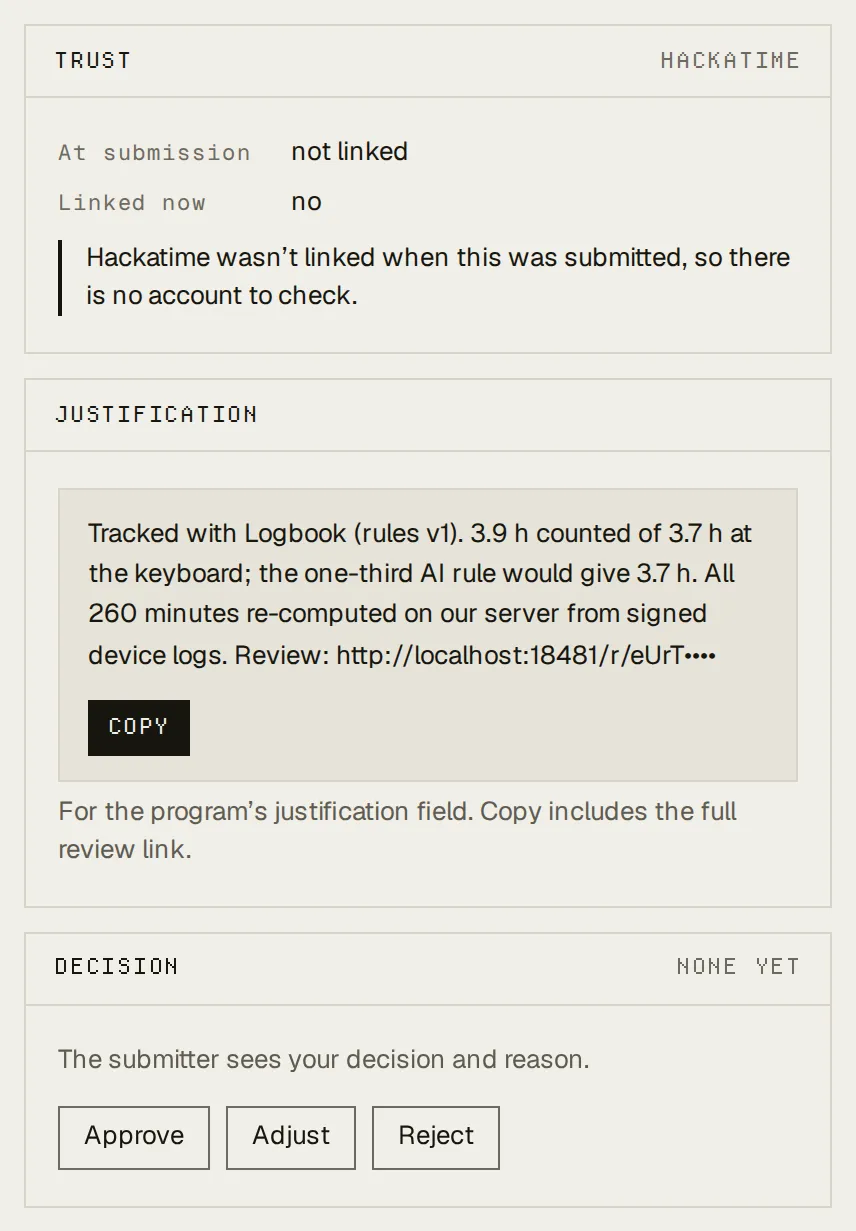
What the paragraph says
Section titled “What the paragraph says”It looks like this:
Tracked with Logbook (rules v1). 12.4 h counted of 17.0 h at the keyboard; the one-third AI rule would give 15.3 h. All 2,431 minutes re-computed on our server from signed device logs. Review: https://logbook.boogles.dev/r/…When some minutes differ or are unbacked, the middle sentence says so instead, for example: “1,000 of 2,236 minutes re-computed on our server from signed device logs; 2 differ from the device’s result and 1,234 are not yet backed by evidence.”
The paragraph describes the submission, not your decision. Record the decision itself in your program’s own fields.
How to tell it worked
Section titled “How to tell it worked”Your pasted text starts with “Tracked with Logbook” and ends with a full review link: https://logbook.boogles.dev/r/ followed by 22 characters. On the review page the link is shortened to its first four characters and dots, but Copy always copies all of it.
The link keeps working after review, so your program and Hack Club can check the hours later. The detailed logs behind it are kept for a year after the latest decision. The page’s SUBMISSION panel shows the date as “Raw logs kept until”.
Does your program pull submissions into its own tools automatically? Its developers can read them through Logbook’s API. See Receive submissions.