Receive submissions
A submission is one project’s counted hours over a range of days, sent by a teen to your program. Logbook re-checks it on its server and gives it a review link. You find new ones in your app’s inbox on the website, or by polling the API.
Open your program to submissions
Section titled “Open your program to submissions”-
On your app’s page, check the FACTS panel says “Takes submissions”. If not, choose Edit, tick Take submissions and save. Your program now appears in the list teens pick from.
-
Tell teens your slug. They submit from the computer that tracked the time:
Terminal window logbook submit my-project --from 2026-10-01 --to 2026-10-31 --program example-programA project’s page on the website also builds this command for them, with a program they pick from the list. Point teens at Submit your hours.
Teens can submit up to 92 days at a time, ending yesterday (UTC) at the latest. Someone whose linked Hackatime account is banned can’t submit.
Find new submissions on the website
Section titled “Find new submissions on the website”Open your app from Apps. The INBOX panel shows To review first: submissions that are checked and have no decision yet. The other filters are Verifying, Approved, Adjusted, Rejected and All.
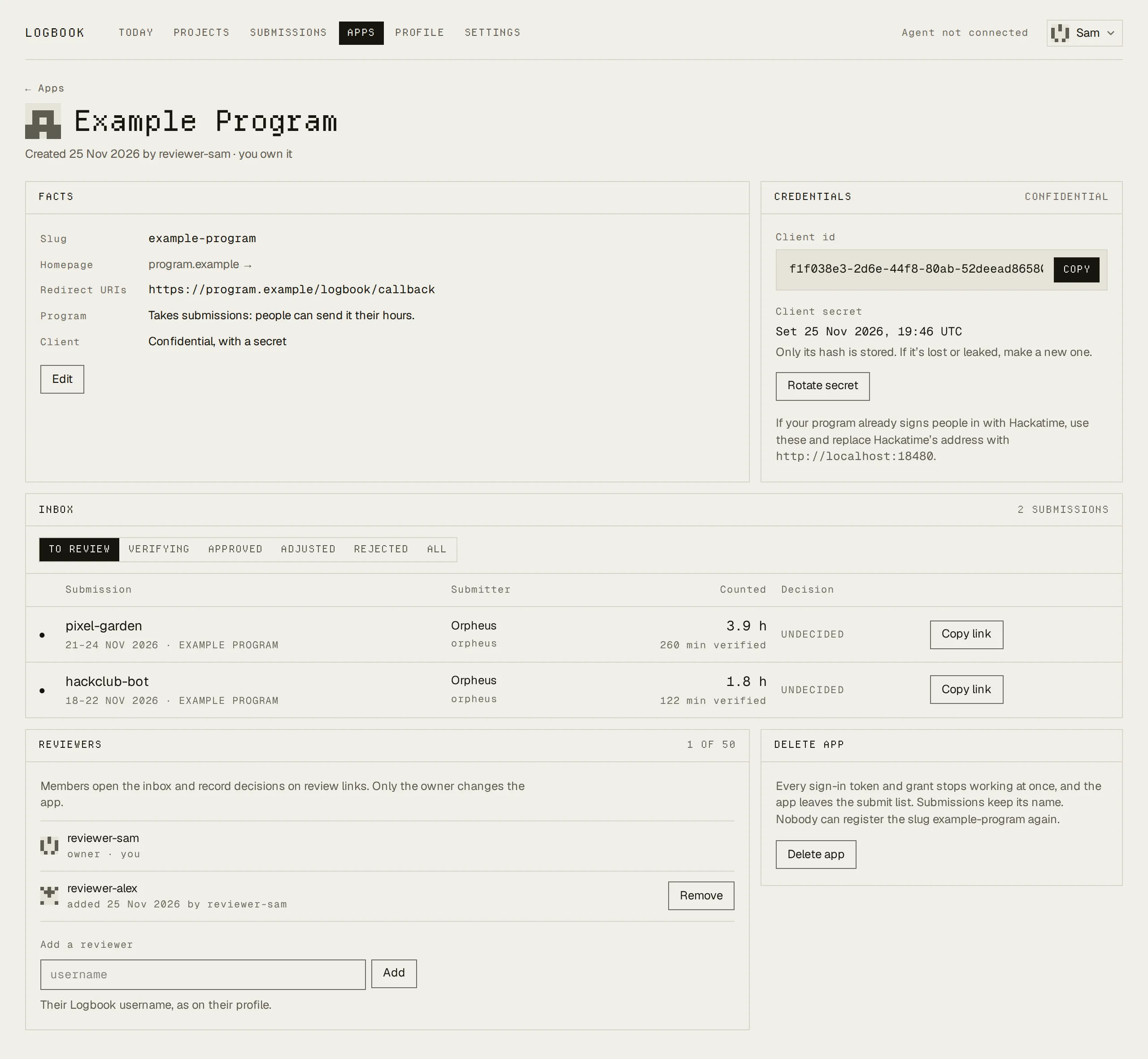
Each row opens the review page. Copy link copies the review link, to paste into your program’s tracker. Reviewers decide on the review page: see Decide and Paste into Airtable.
Pull them into your own system
Section titled “Pull them into your own system”Logbook doesn’t send webhooks. To sync submissions into your own database, poll the API from your server.
-
Get an app token with client credentials. It lasts 1 hour. (This example uses
jqto pick the token out of the JSON.)Terminal window APP_TOKEN=$(curl -s -u "$CLIENT_ID:$CLIENT_SECRET" \-d grant_type=client_credentials -d scope=submissions \https://api.logbook.boogles.dev/oauth/token | jq -r .access_token) -
List the ones waiting for a decision:
Terminal window curl -s -H "Authorization: Bearer $APP_TOKEN" \"https://api.logbook.boogles.dev/api/v1/submissions?status=ready&decision=none" -
Store each
idwith itsreview_url,counted_secondsanduser. Read one in full, with its justification paragraph, fromGET /api/v1/submissions/{id}. -
Repeat every few minutes. Page through long lists with
limit(up to 500) andoffset.
Field by field: API reference.
What the statuses mean
Section titled “What the statuses mean”| Status | What to do |
|---|---|
verifying |
Wait. Logbook is re-checking the evidence |
ready |
Review it. The review page and packet are complete |
failed |
Nothing to review. The evidence didn’t check out; the teen sees why and can submit again |
withdrawn |
The teen took it back before a decision. The review link stops working |
A teen with more than one computer can add another device’s evidence to a submission. It goes back to verifying, and the review page shows a new version.
How to tell it worked
Section titled “How to tell it worked”-
Your program is in the public list:
Terminal window curl -s https://api.logbook.boogles.dev/api/v1/programs -
Send a test submission from your own account with
--programand your slug. It appears in the inbox under Verifying, then under To review, and in the API list. -
A reviewer who opens your test submission’s link sees Approve, Adjust and Reject. You won’t see them on your own submission: nobody can decide on their own hours.