Add reviewers
Reviewers can open your program’s inbox and approve, adjust or reject submissions. Only the app’s owner can add or remove them.
Before you start, each reviewer needs a Logbook account: they sign in once at logbook.boogles.dev with Hack Club. Ask them for their Logbook username (it’s in the profile section of their Settings).
Add a reviewer
Section titled “Add a reviewer”-
Open Apps from the account menu and choose your app.
-
In the REVIEWERS panel, type their username under Add a reviewer. Capitals don’t matter.
-
Choose Add. The field says “Added username. They can open this inbox now.” and they appear in the list.
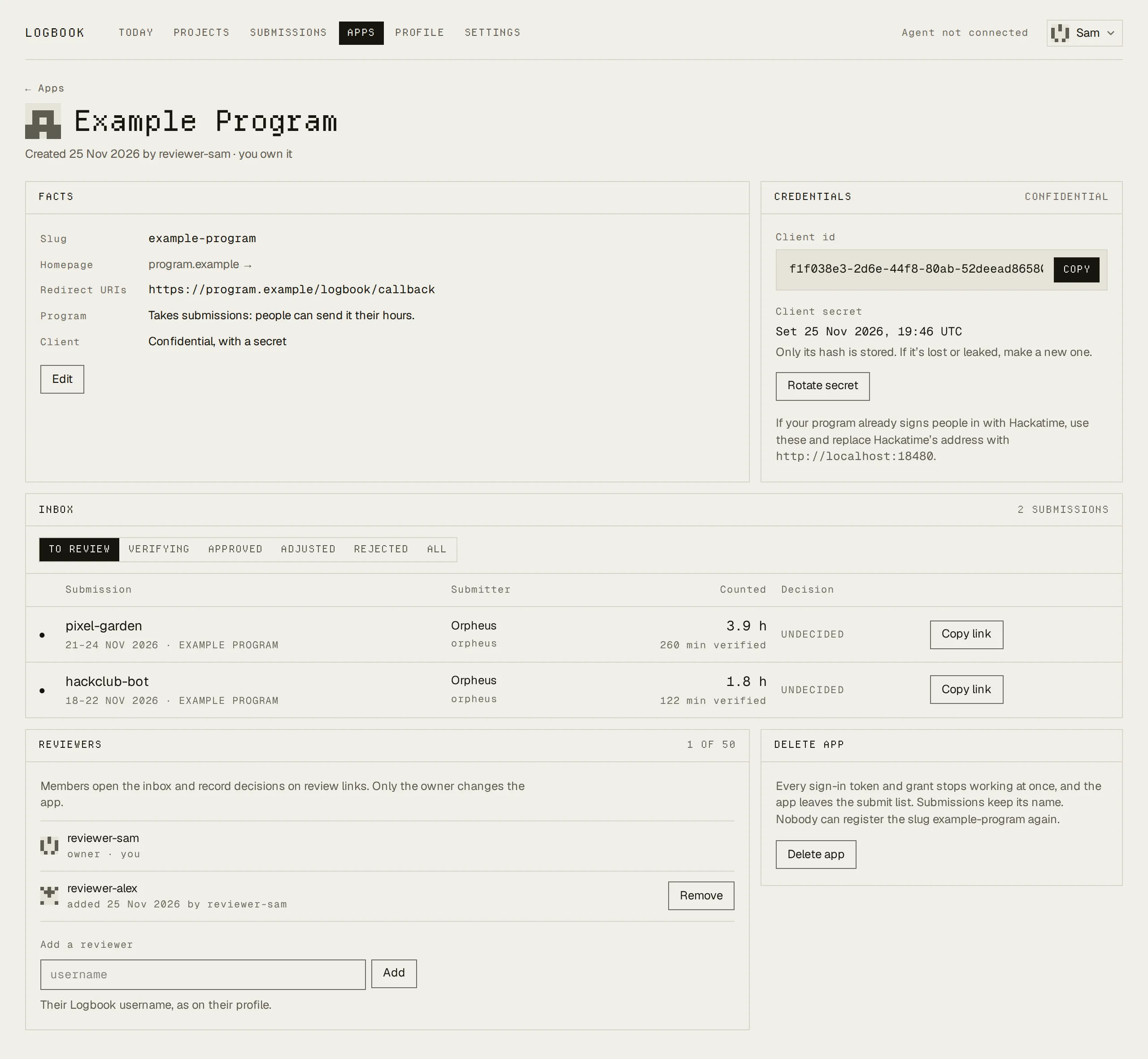
An app can have up to 50 reviewers besides its owner.
What reviewers can and can’t do
Section titled “What reviewers can and can’t do”- They see the app on their own Apps page, marked “reviewer for” you, with the inbox and the credentials panel’s client id.
- They can record decisions on your program’s review links. See Decide.
- They can’t edit the app, rotate its secret, change reviewers or delete it. Those controls are hidden for them, and the server refuses them anyway.
- They can’t decide on their own submissions, even if they are a member.
Send new reviewers to the reviewers guide. It explains the review page from the top.
Remove a reviewer
Section titled “Remove a reviewer”Choose Remove next to their name and confirm. They lose the inbox at once, and a decision they try to record after that is refused. Decisions they already recorded stay.
How to tell it worked
Section titled “How to tell it worked”- The reviewer is listed in the REVIEWERS panel as “added date by you”.
- When they open Apps, your app is there, and its inbox shows your program’s submissions.
- If adding fails, the field says why: an unknown username, someone who’s already a member, or the 50-reviewer limit.