OAuth
Logbook runs its own OAuth 2 provider, shaped like Hackatime’s (Doorkeeper), so OmniAuth and hand-written clients work unchanged. It supports two grants:
- Authorization code (with optional PKCE): a teen allows your app to read their profile or activity. Use it to sign people in and read their hours.
- Client credentials: your app acts as itself, to list the submissions sent to it.
All OAuth endpoints are on https://api.logbook.boogles.dev. You need a registered app first.
Scopes
Section titled “Scopes”| Scope | Who grants it | What it allows |
|---|---|---|
profile |
The user (the default) | authenticated/me: user id, username, email address and linked Hackatime account |
read |
The user | Projects, stats and heartbeats of that user, including a private profile |
submissions |
Only your app, through client credentials | The submissions sent to your program |
Ask for scopes separated by spaces, such as profile read. Any other scope is invalid_scope.
Sign someone in
Section titled “Sign someone in”-
Send the browser to the authorize URL.
stateis any value you check when they come back.https://api.logbook.boogles.dev/oauth/authorize?client_id=CLIENT_ID&redirect_uri=https%3A%2F%2Fprogram.example%2Fauth%2Fcallback&response_type=code&scope=profile%20read&state=STATE&code_challenge=CHALLENGE&code_challenge_method=S256code_challengeis optional for a confidential app and required for a public one. OnlyS256is accepted. To make a pair in a shell:Terminal window verifier=$(openssl rand -hex 32)challenge=$(printf %s "$verifier" | openssl dgst -sha256 -binary | openssl base64 | tr '+/' '-_' | tr -d '=\n') -
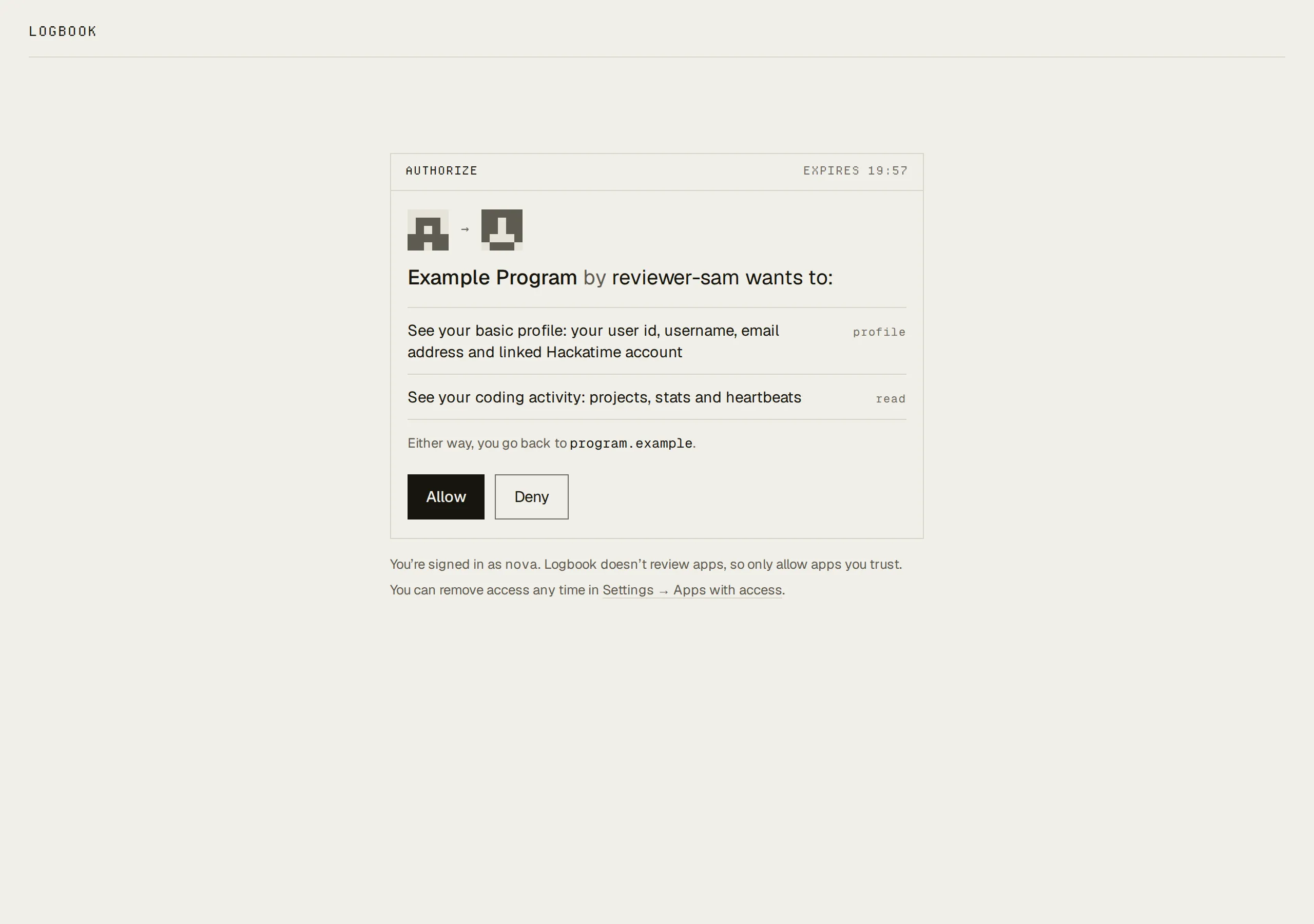
The teen chooses. Logbook shows them a consent page: your app’s name, its owner, one line per scope, and where they’ll go back to. If they’re signed out, they sign in with Hack Club first. If they already allowed these scopes to your app, Logbook skips the page and sends them straight back.
-
They come back to your redirect URI. On Allow:
?code=...&state=.... On Deny:?error=access_denied&error_description=...&state=.... Checkstatematches what you sent. -
Exchange the code for a token from your server, within 10 minutes. Each code works once.
Terminal window curl -s -u "$CLIENT_ID:$CLIENT_SECRET" \-d grant_type=authorization_code \-d code="$CODE" \-d redirect_uri=https://program.example/auth/callback \-d code_verifier="$verifier" \https://api.logbook.boogles.dev/oauth/tokenSend
code_verifieronly if you sent a challenge. A public client sends-d client_id=...and no secret.{"access_token": "lbo_…", "token_type": "Bearer", "expires_in": 31536000, "refresh_token": "lbr_…", "scope": "profile read", "created_at": 1795000000} -
Call the API with the access token in the
Authorizationheader (never in the URL):Terminal window curl -s -H "Authorization: Bearer $ACCESS_TOKEN" \https://api.logbook.boogles.dev/api/v1/authenticated/me
You can also send the client id and secret as client_id and client_secret form fields instead of HTTP Basic. The token endpoint accepts form-encoded bodies and flat JSON.
Refresh a token
Section titled “Refresh a token”Access tokens last 1 year. Refresh tokens last 2 years from when they’re issued. To get a new pair:
curl -s -u "$CLIENT_ID:$CLIENT_SECRET" \ -d grant_type=refresh_token -d refresh_token="$REFRESH_TOKEN" \ https://api.logbook.boogles.dev/oauth/tokenYou can pass scope with the same or fewer scopes. The old access and refresh tokens stop working. Store the new refresh token every time: sending an old one again revokes the whole chain, and the teen has to allow your app again.
Revoke a token
Section titled “Revoke a token”When someone disconnects Logbook in your program, revoke the token:
curl -s -u "$CLIENT_ID:$CLIENT_SECRET" \ -d token="$ACCESS_TOKEN" \ https://api.logbook.boogles.dev/oauth/revokeIt answers 200 {} whether or not the token existed. Revoking the access token also revokes its refresh token, and the other way round.
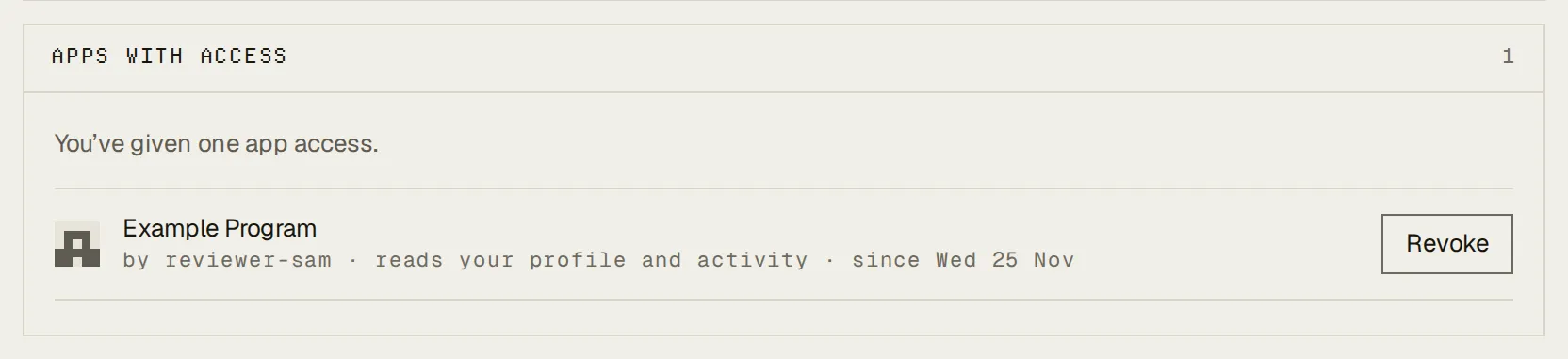
Teens can remove your app’s access themselves in Settings → Apps with access. Every token your app holds for them stops working at once, and the next sign-in asks again.
Client credentials
Section titled “Client credentials”For your program’s own calls (the submission inbox), a confidential app gets a token without a user:
curl -s -u "$CLIENT_ID:$CLIENT_SECRET" \ -d grant_type=client_credentials -d scope=submissions \ https://api.logbook.boogles.dev/oauth/token{"access_token": "lbo_…", "token_type": "Bearer", "expires_in": 3600, "scope": "submissions", "created_at": 1795000000}It lasts 1 hour and has no refresh token; ask for a new one when it expires. It only works on the submission endpoints, not on user data. A public client can’t use this grant (unauthorized_client).
Errors
Section titled “Errors”The authorize step can’t send people to an address your app hasn’t registered. With an unknown client or a redirect URI that doesn’t match exactly, Logbook shows its own page, “This app’s link is broken. Tell the program.”, and sends the browser nowhere. Other problems go back to your redirect URI as error=invalid_scope, unsupported_response_type or invalid_request (for example a public client without code_challenge).
The token endpoint answers errors as {"error": "...", "error_description": "..."}: invalid_request, invalid_grant, invalid_scope, unauthorized_client or unsupported_grant_type with 400, and invalid_client with 401.
How to tell it worked
Section titled “How to tell it worked”- After Allow, your callback receives a
codeand the token call returns anaccess_tokenstarting withlbo_. authenticated/mewith that token returns the user’sid(100000001 or higher) andlogbook.username.- The teen sees your app in Settings → Apps with access.
For every endpoint you can call with the token, see the API reference.