Register an app
Registering an app gives your program a client id and secret for OAuth, and, if you want, a place to receive submissions. It takes a few minutes. You need a Logbook account: anyone who can sign in with Hack Club can register an app.
Fill in the form
Section titled “Fill in the form”-
Sign in at logbook.boogles.dev, open the account menu and choose Apps, then Register an app. Or go straight to logbook.boogles.dev/apps/new.
-
Fill in the fields.
- Name: what teens see when they sign in and when they submit, such as
Example Program. Up to 64 characters. - Slug: what teens type to send you hours (
logbook submit … --program example-program). 2 to 40 characters ofa-z,0-9and-. It follows the name until you edit it. It can’t change later, and nobody can reuse it, even after you delete the app. - Homepage (optional): where people can read about your program.
- Redirect URIs: where Logbook sends people back after they allow or deny access. 1 to 5 of them. Each must be
https://, orhttp://localhostorhttp://127.0.0.1(any port) for development. They must match what your code sends exactly, character for character. - Take submissions: on by default. It lists the app as a program so teens can send it their hours. Sign-in works either way.
- Client type: Confidential if your server can keep a secret (most programs). Public for apps that run on people’s own devices: no secret, and every sign-in must use PKCE. This can’t change later.
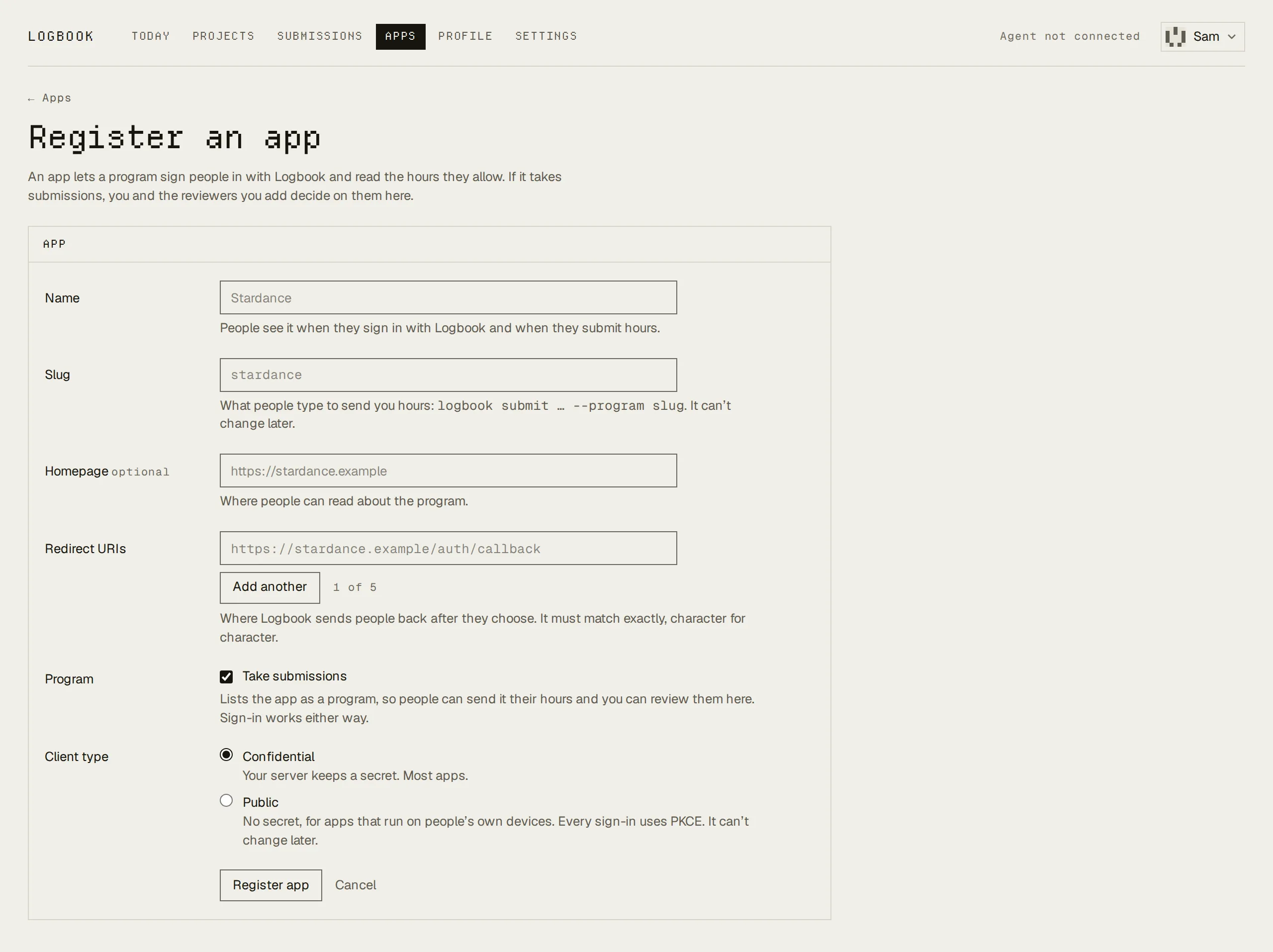
- Name: what teens see when they sign in and when they submit, such as
-
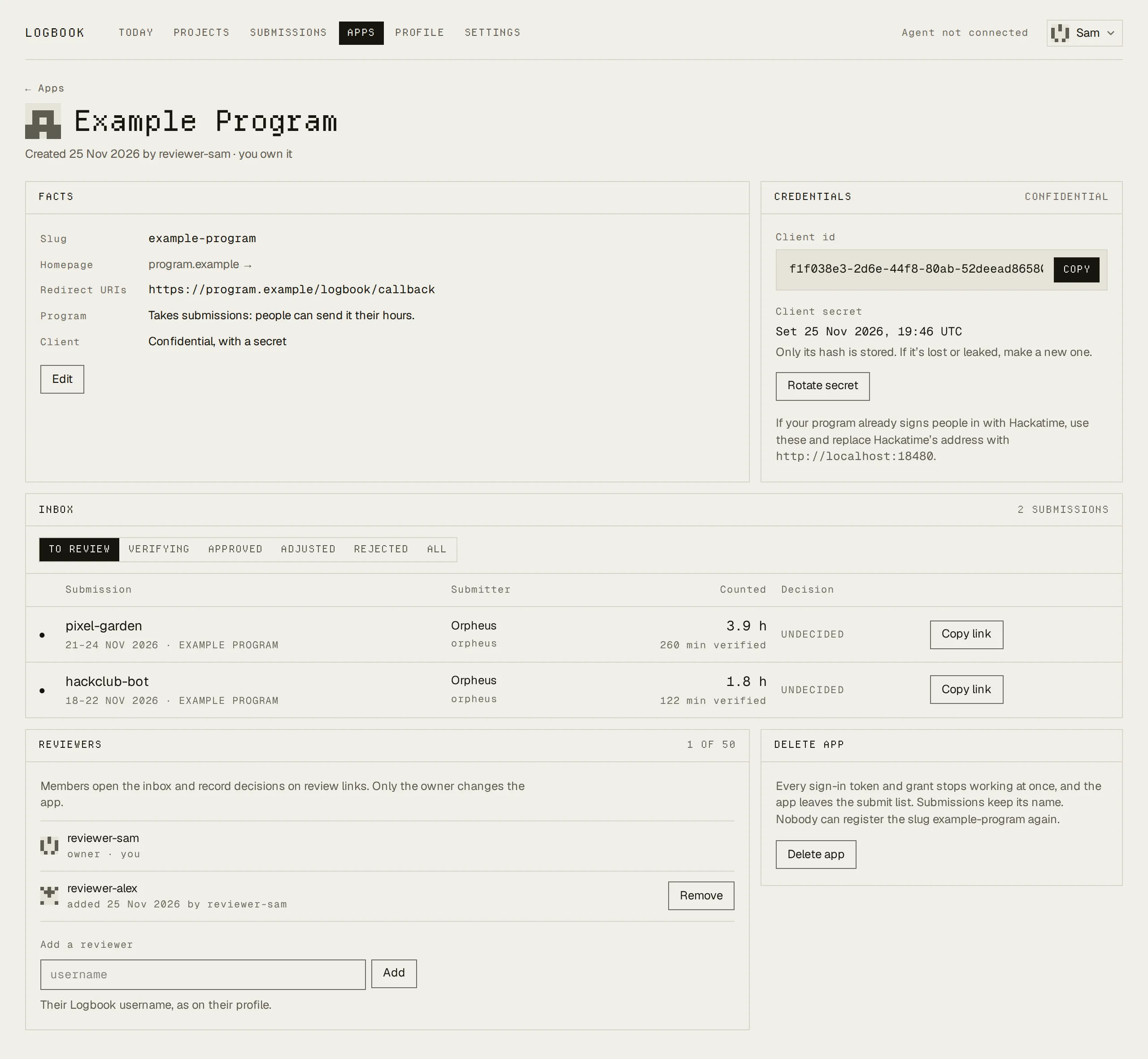
Choose Register app. You land on the app’s page.
-
Copy the client secret from the CREDENTIALS panel now, and put it in your server’s secret store. Logbook keeps only a hash of it, so this is the only time you see it. The client id stays on the page.
Change it later
Section titled “Change it later”As the owner, choose Edit in the FACTS panel to change the name, homepage, redirect URIs or Take submissions. Slug and client type stay as they are.
One person can own up to 10 apps. Delete app stops every token and grant at once and takes the app off the submit list; submissions you already received keep its name.
How to tell it worked
Section titled “How to tell it worked”-
The app shows on your Apps page with its slug and “yours”.
-
If you ticked Take submissions, the app’s FACTS panel says “Takes submissions: people can send it their hours.”
-
Your client id and secret get a token. For a confidential app, this should print JSON with an
access_token:Terminal window curl -s -u "$CLIENT_ID:$CLIENT_SECRET" \-d grant_type=client_credentials -d scope=submissions \https://api.logbook.boogles.dev/oauth/token
Next: add reviewers, or connect your sign-in.