Privacy
Logbook is built so that the detailed record of your work stays on your computer. The server gets timings and counts. More is sent only when you submit hours, and only after you’ve seen what and said yes.
Never recorded, anywhere
Section titled “Never recorded, anywhere”The agent never records these, so they can’t be sent:
- prompt text, the AI’s answers, and what AI tools ran (commands, file contents, tool output);
- your code and file contents;
- keystrokes, the clipboard, the screen, window titles;
- commit messages and author names.
Sent all the time
Section titled “Sent all the time”| What | Why |
|---|---|
| Editor heartbeats: time, project, file path, language, editor, branch, machine name | The same data Hackatime and WakaTime get, for time at the keyboard |
| Counted minutes: minute, project, label (you, agent alone, idle), counted seconds, cut and flag codes | Your counted time |
| One signed fingerprint (hash) per computer per day | Proves later that the day’s record wasn’t changed |
If mirroring is on, heartbeats also go to Hackatime (or wherever your plugins sent them before). See Coming from Hackatime.
Kept on your computer
Section titled “Kept on your computer”These stay in a local database for 90 days and are never uploaded on their own:
- AI tool events: when you sent a prompt, how long it was, a scrambled fingerprint of it (to spot the same prompt sent again, without keeping it), tool names, which folder;
- activity samples: seconds since your last input, and the name of the app in front;
- your git commits: hash, time, files and lines changed;
- Claude Code’s own active-time numbers, if you use Claude Code.
The prompt fingerprint uses a secret that never leaves your computer, so nobody can check it against guessed prompts.
Sent only when you submit
Section titled “Sent only when you submit”When you run logbook submit, the agent sends the server the local records it needs to re-check your counted minutes: the rows from the two hours before each minute. That can include rows from other projects you worked on in those windows (their file paths and AI session details), and your repo folder names.
Before anything is sent, the command lists all of it by project, and uploads only after you type y. To see the exact upload, run it with --preview FILE: it writes the request to a file and sends nothing.
The review page itself never shows your other projects or file paths outside the submitted project.
Uploaded records are deleted one year after the program’s decision. If you withdraw before a decision, they’re deleted right away.
What others can see
Section titled “What others can see”- Your public profile, at
/u/<your username>: totals, top projects and languages. Never your email, code or prompts. Turn it off, or hide single projects, in Settings. - A review link: anyone you or a program give it to. It’s not listed in search engines.
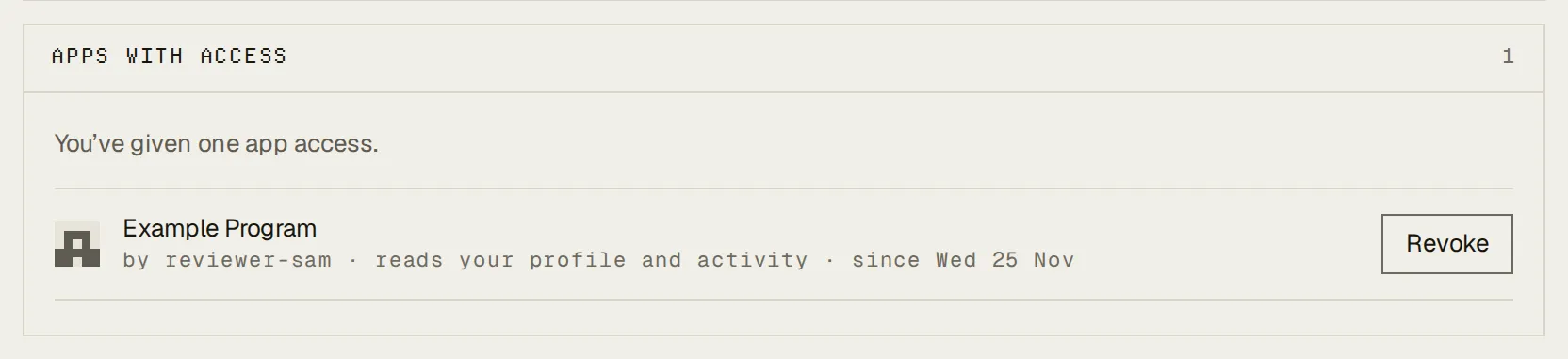
- Apps you allowed: a program’s app can read your profile and activity. See and revoke them in Settings, under Apps with access.
The status page
Section titled “The status page”The agent’s status page at http://127.0.0.1:47231/ is only reachable from your own computer. It never shows your keys.
Delete it all
Section titled “Delete it all”logbook uninstall --purge --yes removes the agent and its local data. See Uninstall.