Submit your hours
You submit from the computer where you did the work, because only its agent holds the signed record that backs your hours. The website gives you the exact command.
Before you start
Section titled “Before you start”- Days are UTC and the last day can be yesterday at the latest: a day’s hours are sealed after midnight UTC.
- You can submit up to 92 days at a time.
- You need the program’s short name (its slug) if you’re sending to a program.
Submit
Section titled “Submit”-
On logbook.boogles.dev, open Projects, then your project, and find Submit these hours.
-
Pick the first and last day. Both count. The default is the 30 days ending yesterday.
-
Pick your Program. With No program, nobody is sent a review; you share the review link yourself.
-
Copy the command. It looks like this, with your project, days and program filled in:
Terminal window logbook submit my-project --from 2026-10-01 --to 2026-10-31 --program example-programIf
logbookisn’t on yourPATH(it never is on Windows, and isn’t by default on macOS), replacelogbookwith its full path:Terminal window & "$env:LOCALAPPDATA\Programs\Logbook\logbook.exe" submit my-project --from 2026-10-01 --to 2026-10-31 --program example-programTerminal window "$HOME/Library/Application Support/Logbook/bin/logbook" submit my-project --from 2026-10-01 --to 2026-10-31 --program example-programTerminal window ~/.local/bin/logbook submit my-project --from 2026-10-01 --to 2026-10-31 --program example-program -
Run it in a terminal on the computer you worked on. It prints a summary first: how many minutes it can back with evidence, and exactly what the server will see. Read it.
-
Type
yand press Enter to upload. Anything else cancels, and nothing is sent.
How to tell it worked
Section titled “How to tell it worked”The command prints Submitted ... as submission <id> and a review link. The server then re-checks your hours from the signed record, usually within minutes.
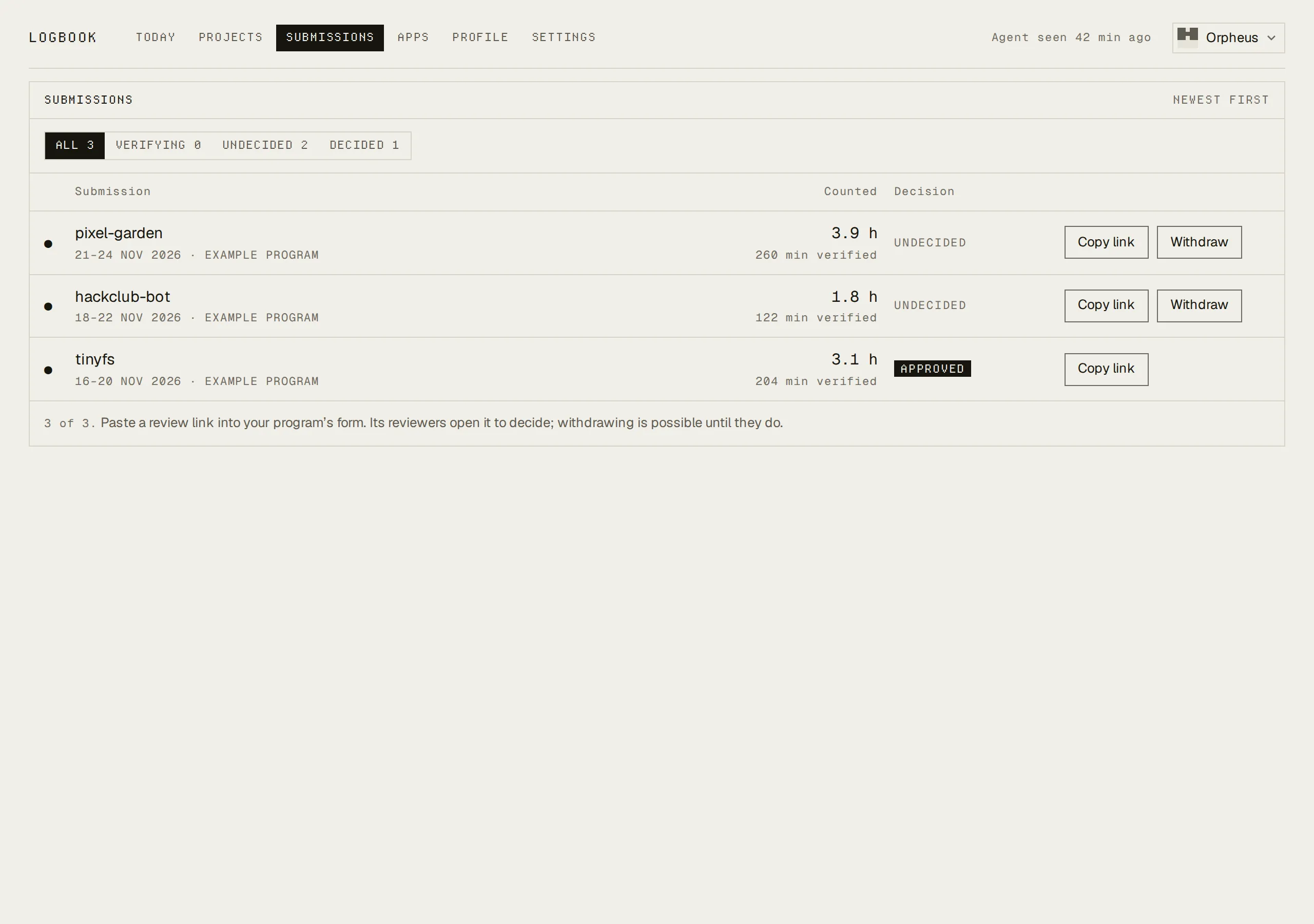
Open Submissions on the website. Your submission shows as verifying, then as ready for review. From there you can Copy link or Withdraw it.
Worked on more than one computer?
Section titled “Worked on more than one computer?”Minutes from your other computers are part of the submission but show as “not yet backed by evidence” until each adds its part. The command prints what to run on each, in this form:
logbook submit my-project --from 2026-10-01 --to 2026-10-31 --add SUBMISSION_IDIf you no longer use a computer (lost, replaced, reinstalled), disconnect it in Settings, under Computers. It then stops holding your submissions back; its minutes stay unbacked.
Check before you send
Section titled “Check before you send”--preview FILE writes exactly what would be uploaded to a file and stops. Nothing is sent. See Privacy for what a submission reveals.
What reviewers see
Section titled “What reviewers see”The review link shows your counted hours next to your time at the keyboard and the one-third rule, what was cut and why, each day minute by minute with your commits, and your AI sessions. The reviewer guide shows the whole page.
If the command stops with an error, see Troubleshooting.